MaLiLib Mod Versions Explained
Why there are so many MaLiLib builds, what 0.27.14 or 0.29.0 actually means, and how to choose the right one in under a minute.
Key takeaways
- Two numbers matter: the Minecraft version and the MaLiLib build.
- Dependent mods set a minimum MaLiLib build in their metadata.
- Never mix files from different Minecraft versions.
Two numbers in every file name
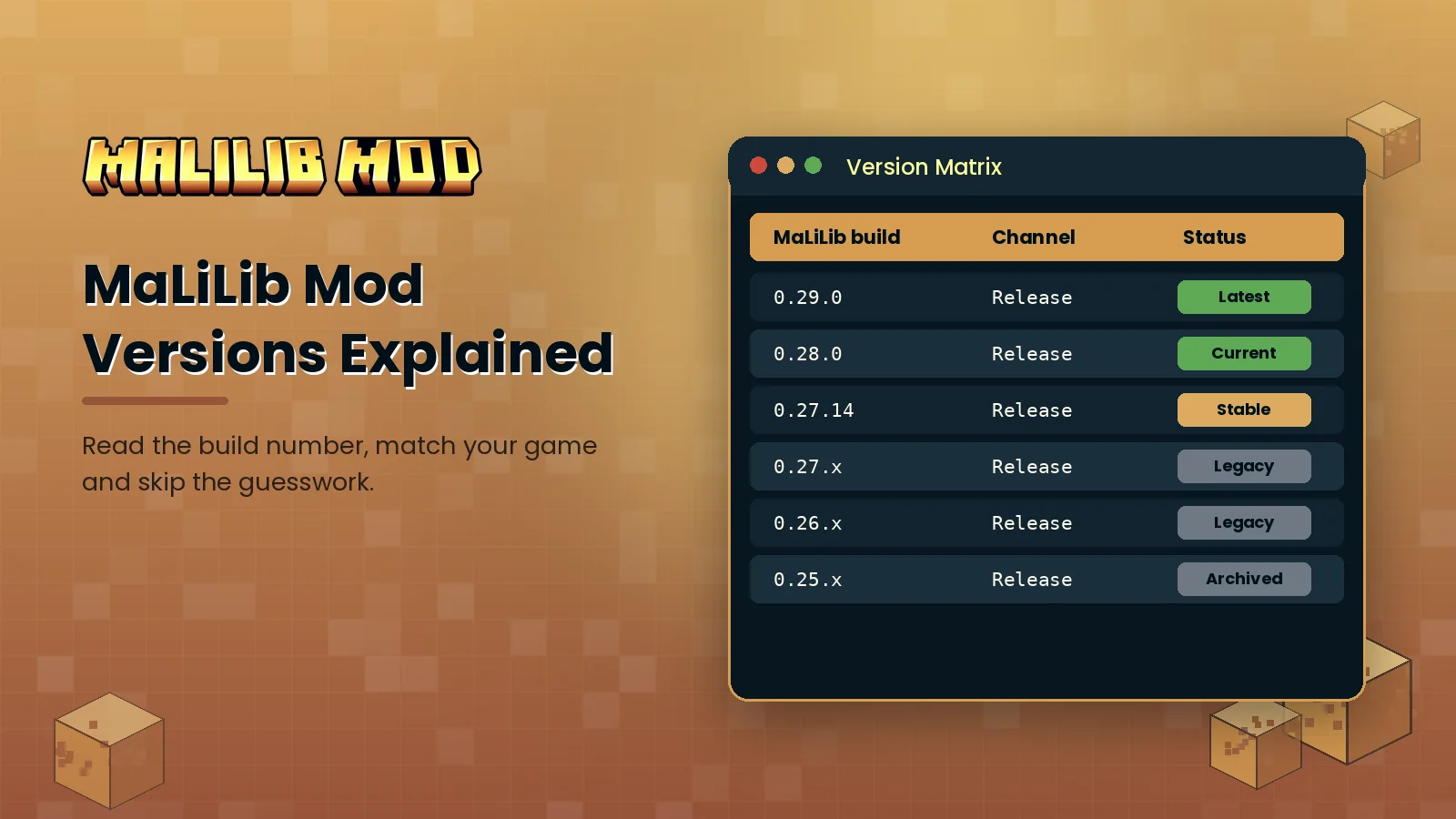
Every MaLiLib release carries two version numbers. Take malilib-fabric-1.21.11-0.27.14.jar as an example. The 1.21.11 part tells you which Minecraft release the file was compiled against. The 0.27.14 part is the MaLiLib build itself. When people search for "MaLiLib 28" or "MaLiLib mod 0.29.0" they are talking about that second number.
How the build series work
The middle number usually moves forward when the library changes in a way that other mods have to follow, which often lines up with a new Minecraft update. The last number counts smaller fixes inside that series. So 0.27.14 is the fourteenth maintenance release of the 0.27 line, while 0.28.0 and 0.29.0 start new lines with changes that dependent mods were rebuilt for.
Choosing the right build
- Confirm your Minecraft version on the launcher's Installations tab.
- On the official MaLiLib page, filter files by that exact version and by your loader.
- Open the changelog of each dependent mod, such as Litematica or Tweakeroo, and note the minimum MaLiLib build it lists.
- Download the newest MaLiLib build for your game version that meets every minimum.
What a mismatch looks like
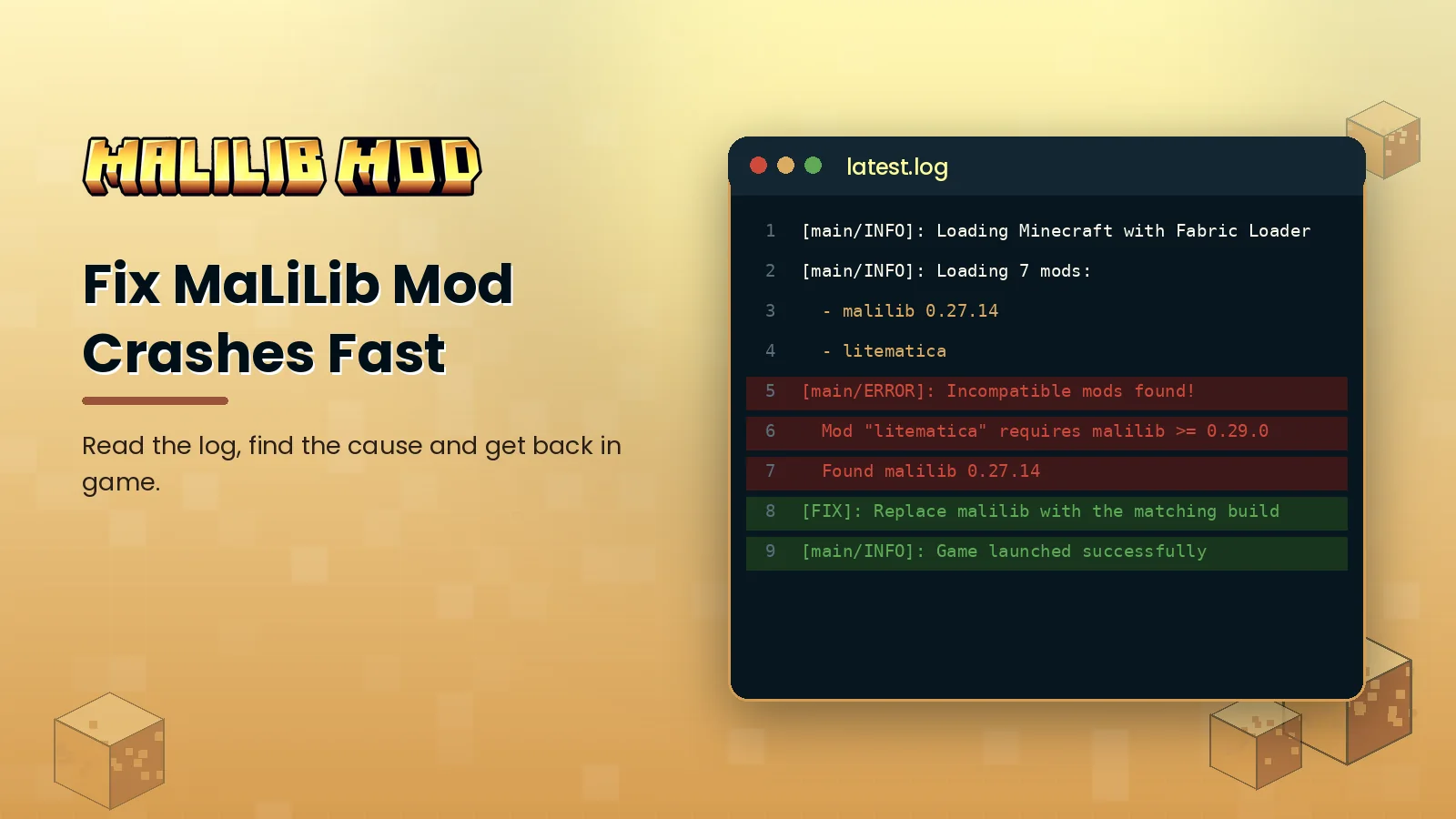
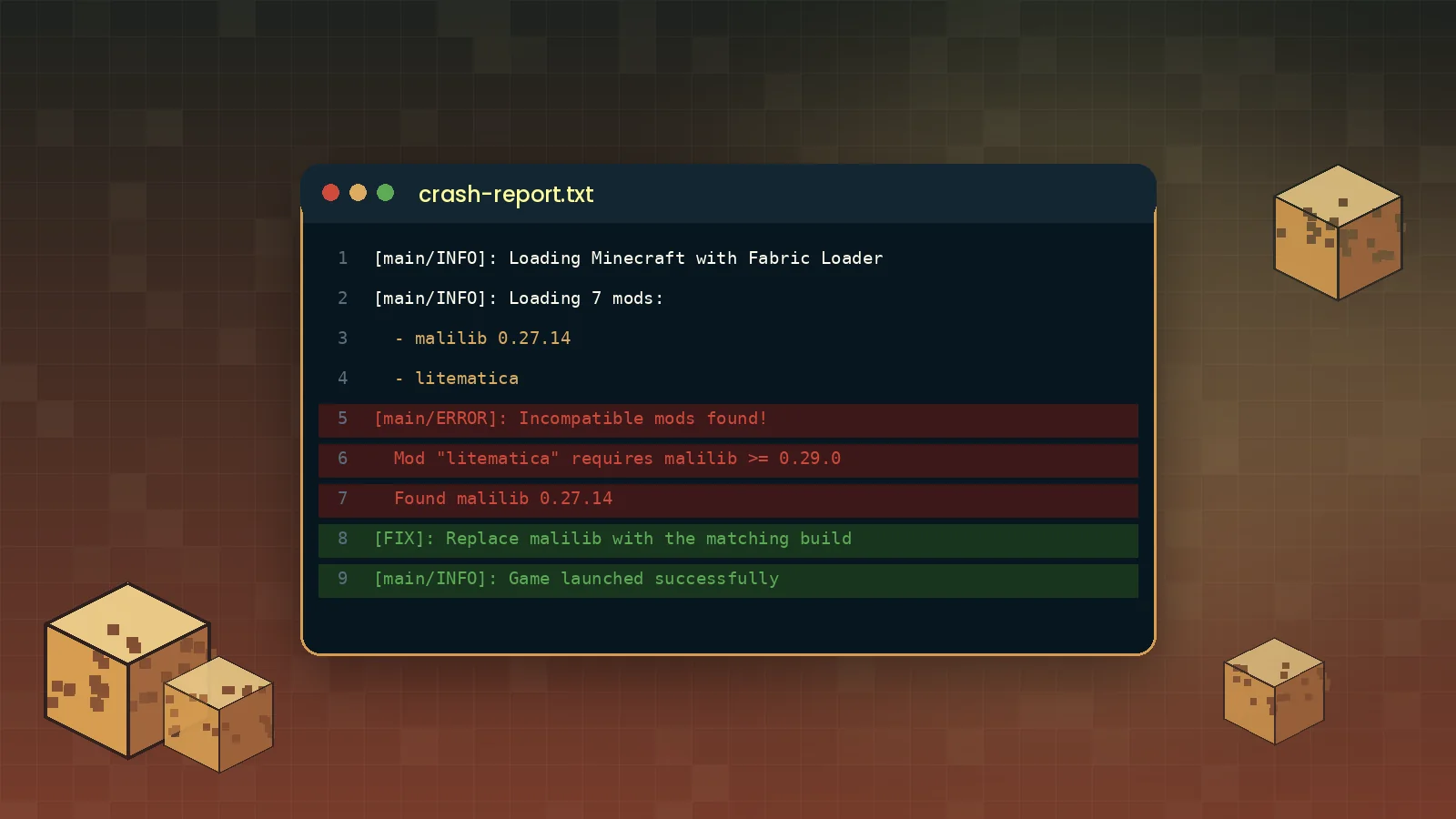
Fabric Loader checks dependencies before the game window appears. If a mod needs a newer MaLiLib than the one installed, it stops and shows a dialog naming both versions. The fix is to replace the old jar, not to add a second one; two MaLiLib jars in the same mods folder cause a duplicate mod error.
Rule of thumb: one MaLiLib jar per instance, built for the exact Minecraft version you launch.
When to keep an older build
Servers with custom plugins and technical communities sometimes stay on an older Minecraft release. In that case keep the MaLiLib build that matches that release and do not update just because a newer number exists. See our installation guide for setting up separate profiles, or check the FAQ for update questions.