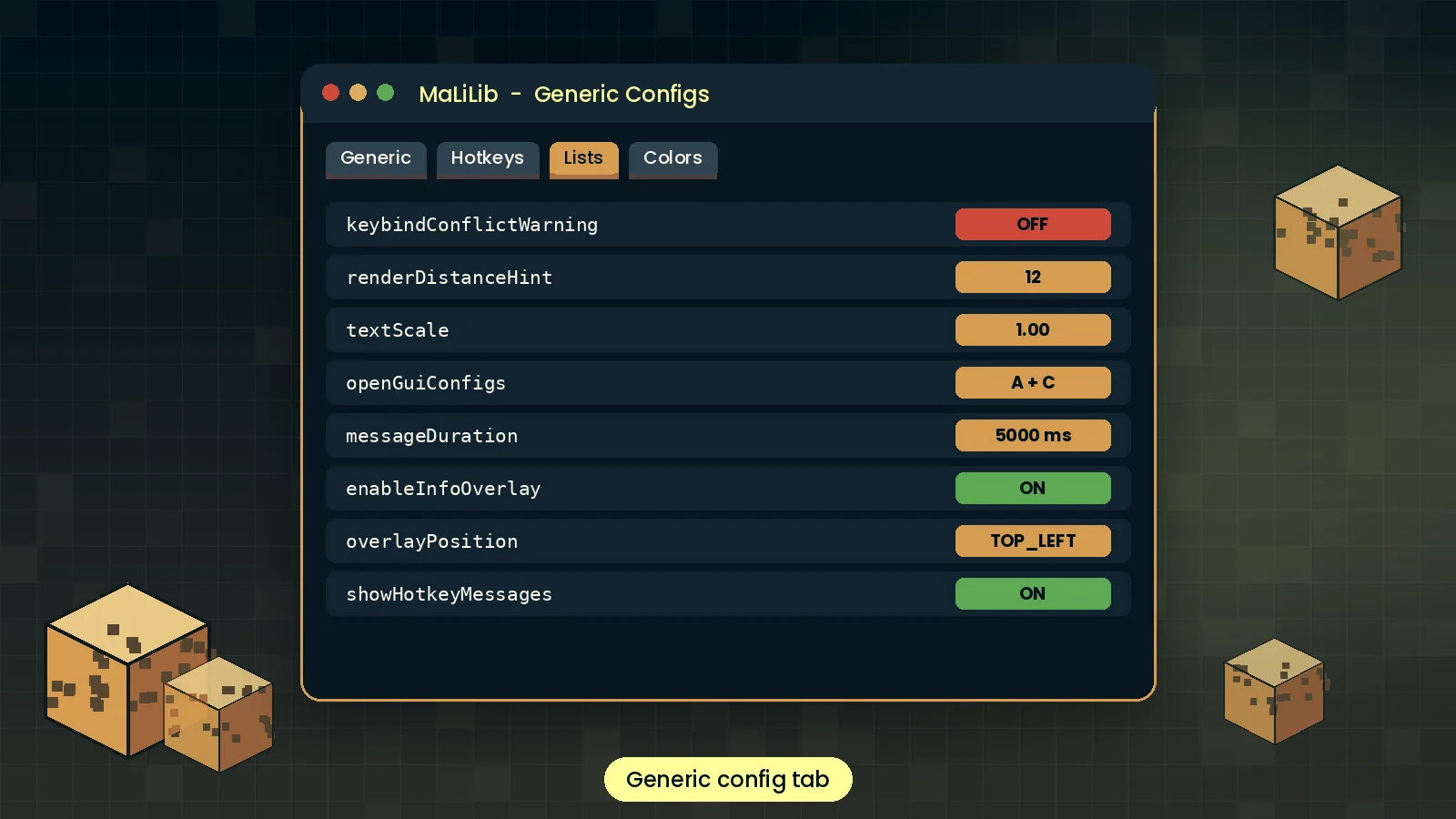
Unified config screens
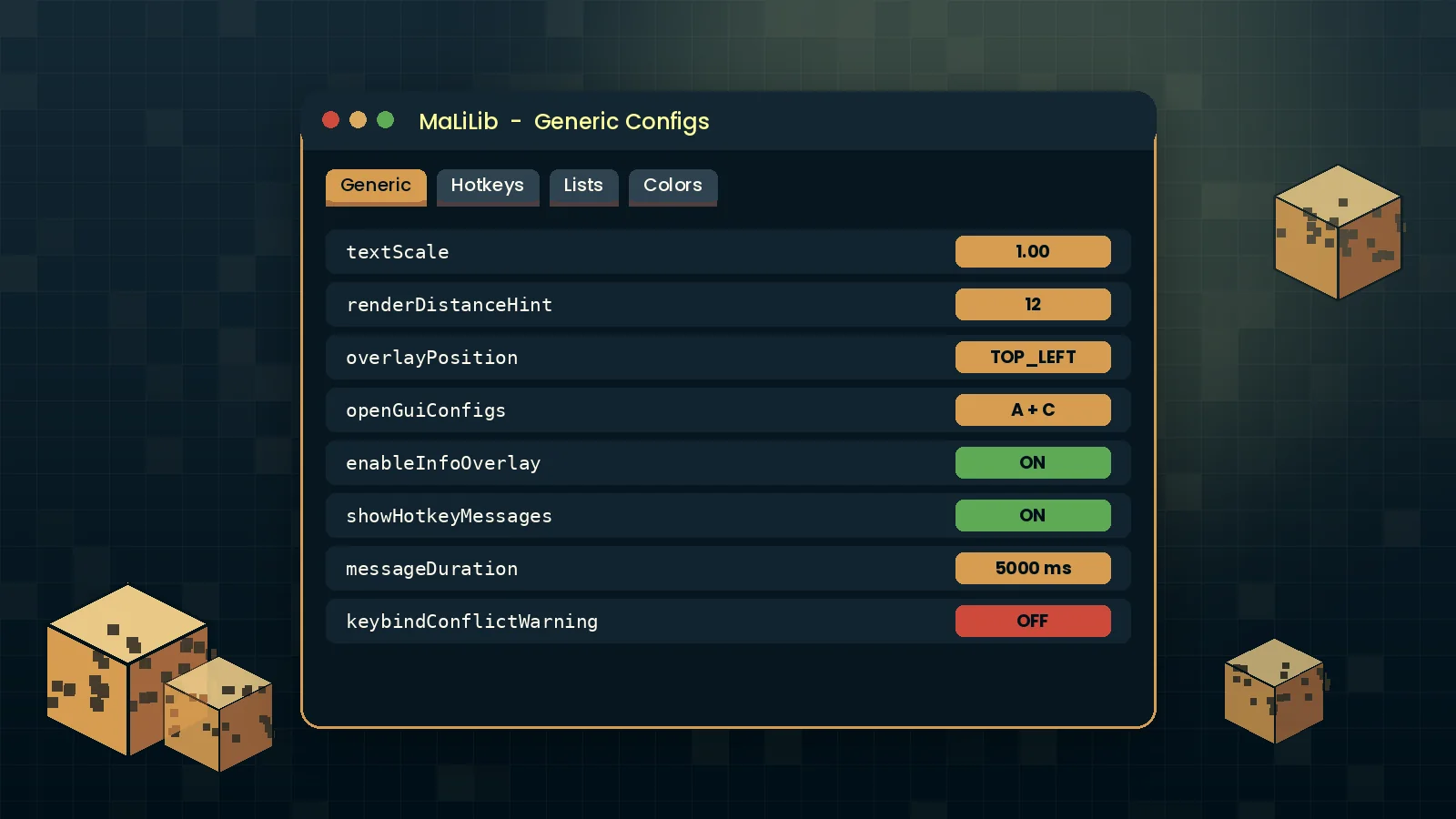
Every mod built on MaLiLib gets the same clean, searchable settings screen, so once you learn one menu you know them all. No more hunting through text files to change a value.
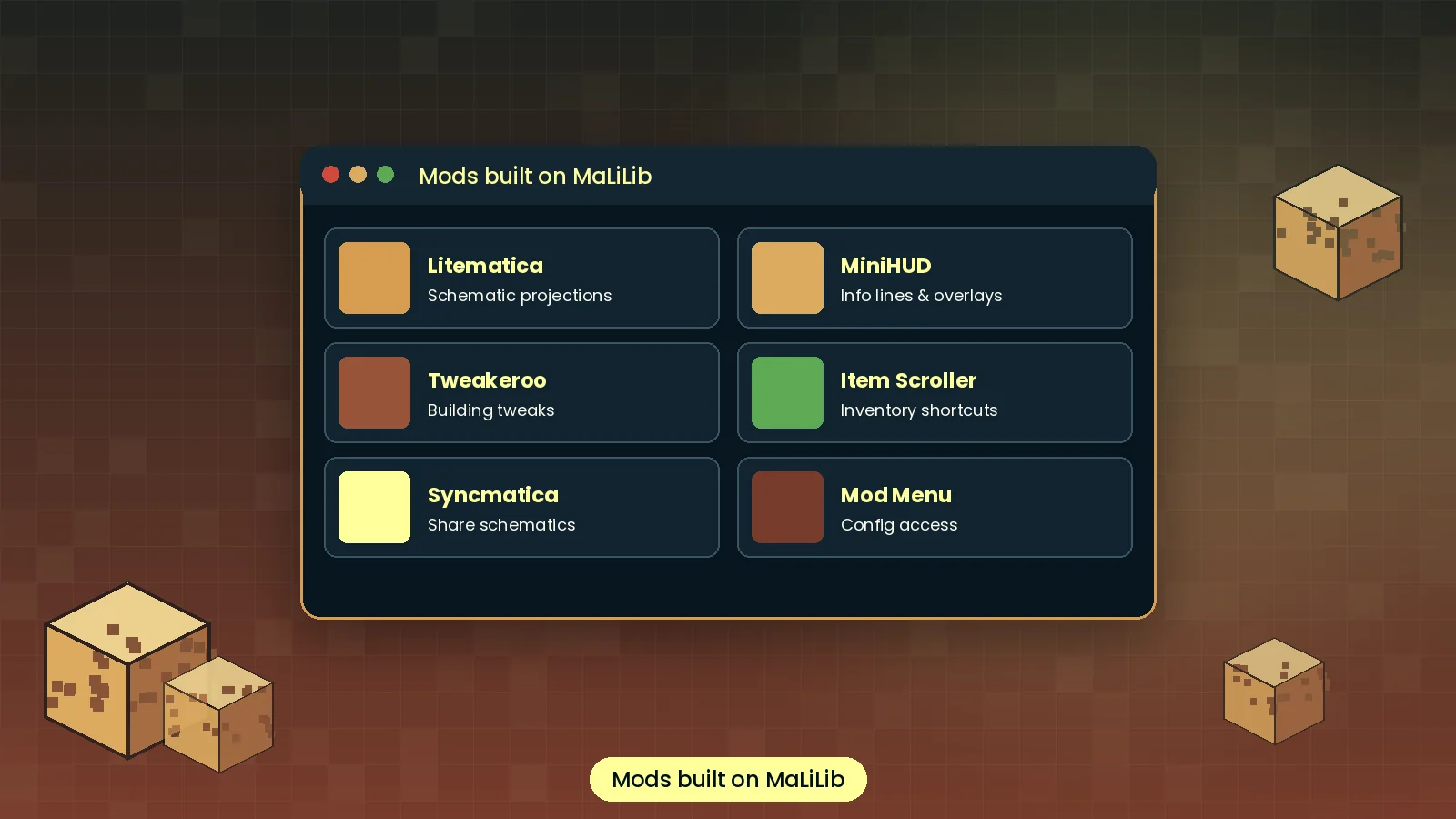
MaLiLib Mod is the shared library behind Litematica, MiniHUD, Tweakeroo and Item Scroller. It gives these Fabric mods one config menu, powerful multi-key hotkeys and reliable GUI tools. Get the MaLiLib Mod download for your exact Minecraft version and set it up in minutes.
A short, honest overview of what the library is, where it came from and whether you need it.
MaLiLib Mod is a client-side library for Minecraft Java Edition. The name stands for masa's Library. It supplies the configuration screens, hotkey handling, GUI widgets and rendering helpers that other mods use, so those mods can focus on their own features. On its own it adds nothing to gameplay; it becomes useful the moment you install a mod that depends on it.
masa created MaLiLib around 2018 to share code between his LiteLoader mods for Minecraft 1.12.2, including Litematica, MiniHUD, Tweakeroo and Item Scroller. As the modding scene moved to Fabric, the library moved with it. Newer Minecraft versions are kept up to date with help from community maintainers, and development happens openly on GitHub.
You need MaLiLib if you play with any masa mod or community mod that lists it as a dependency. Builders, technical players, speedrunners, server admins and mod developers all end up installing it. If none of your mods ask for it, you can skip it.
Before MaLiLib, each mod carried its own copy of config and input code, which meant duplicated bugs and menus that behaved differently. One shared library fixed both problems and made updates faster across the whole family of mods.
"MaLiLib is one of the quiet workhorses of Java modding. Players rarely think about it, yet it sets the standard for how client mods handle settings and keybinds. The only real friction is version matching, and that takes a minute once you know how to read the file name."
Daniel Reyes, Technical Editor
Nine reasons the biggest client mods in Minecraft are built on this library, and what each one means for your game.
Every mod built on MaLiLib gets the same clean, searchable settings screen, so once you learn one menu you know them all. No more hunting through text files to change a value.
Bind actions to combos like A + C instead of single keys and keep your keyboard free.
Changes save to tidy JSON files you can back up or share.
Buttons, lists and text fields that look consistent across mods.
A small jar that loads fast and stays out of your frame rate.
Litematica, MiniHUD, Tweakeroo and Item Scroller all run on it, which means one install unlocks a whole family of tools.
Pick colors with alpha and render clean in-world overlays.
Builds follow new Minecraft releases closely.
The full source is public on GitHub. Anyone can audit it, report issues or build their own mod on top of it, which is a big reason players and developers trust it.
From game launch to a hotkey press, this is what the library does behind the scenes in five steps.
At startup Fabric Loader reads the jar and registers MaLiLib before dependent mods.
Litematica, MiniHUD and others hand their options and hotkeys to MaLiLib.
MaLiLib loads saved values from JSON files in the config folder.
Each key press is checked against every registered combination.
Matching hotkeys fire, and menus render using shared widgets.
MaLiLib itself is tiny. These figures cover Minecraft with Fabric and a few MaLiLib-based mods running together.
Every button below opens an official source. We never re-host or repackage the file, so what you get is exactly what the developers published.
Each release page lists a SHA-256 hash. Run the matching command and compare the output character by character.
# Windows (Command Prompt)
certutil -hashfile malilib-fabric-0.29.0.jar SHA256
# macOS / Linux
shasum -a 256 malilib-fabric-0.29.0.jarChoose your Minecraft version and the Fabric loader on the file list, then download the jar.
Download from Modrinth Download from CurseForgeMirror downloads
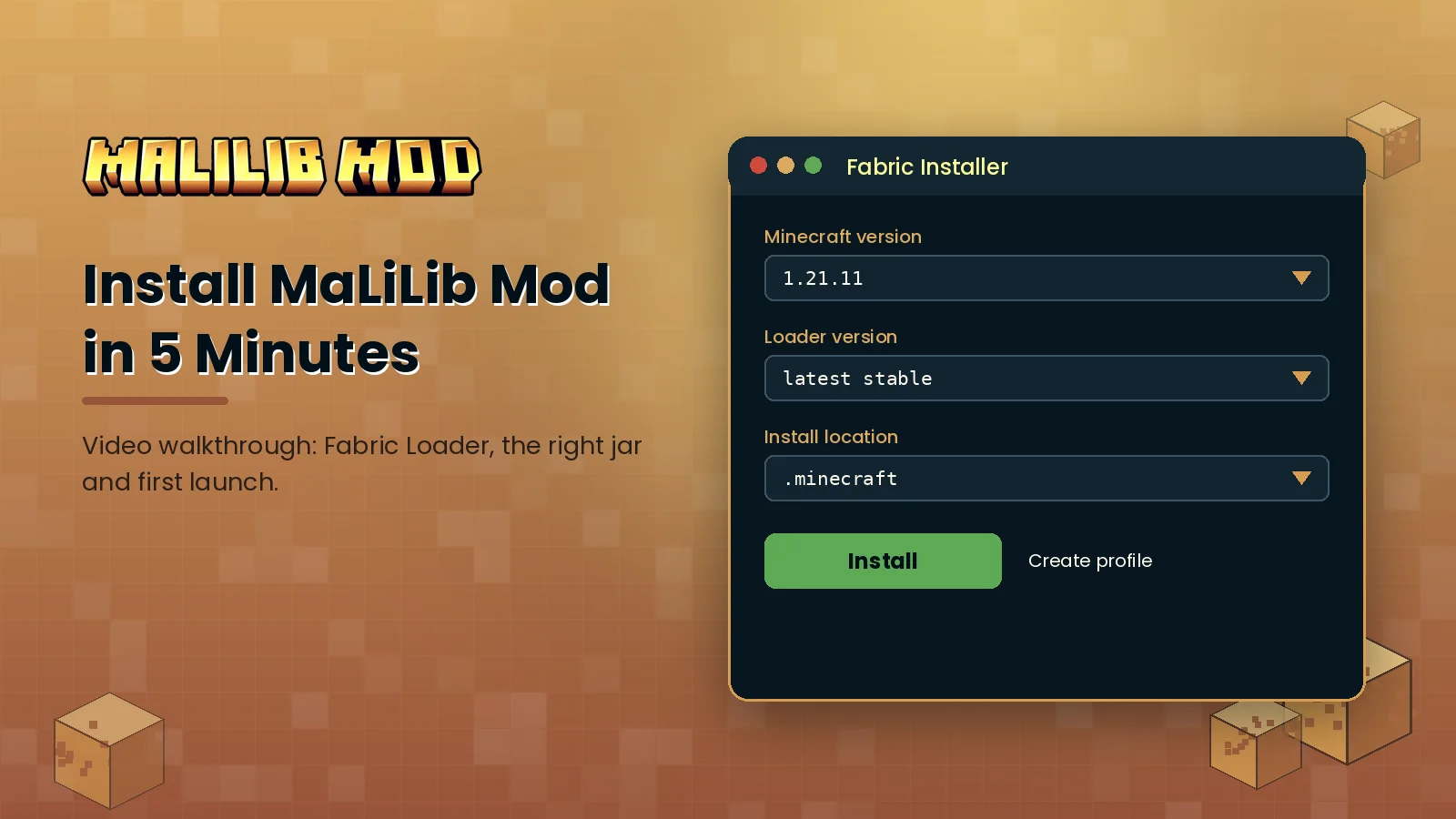
GitHub source & releases Fabric Loader installerPick your platform for step-by-step instructions. Desktop takes about five minutes; mobile launchers take a little longer.
From your first launch to power-user settings, here is how to get real value from the library and the mods on top of it.
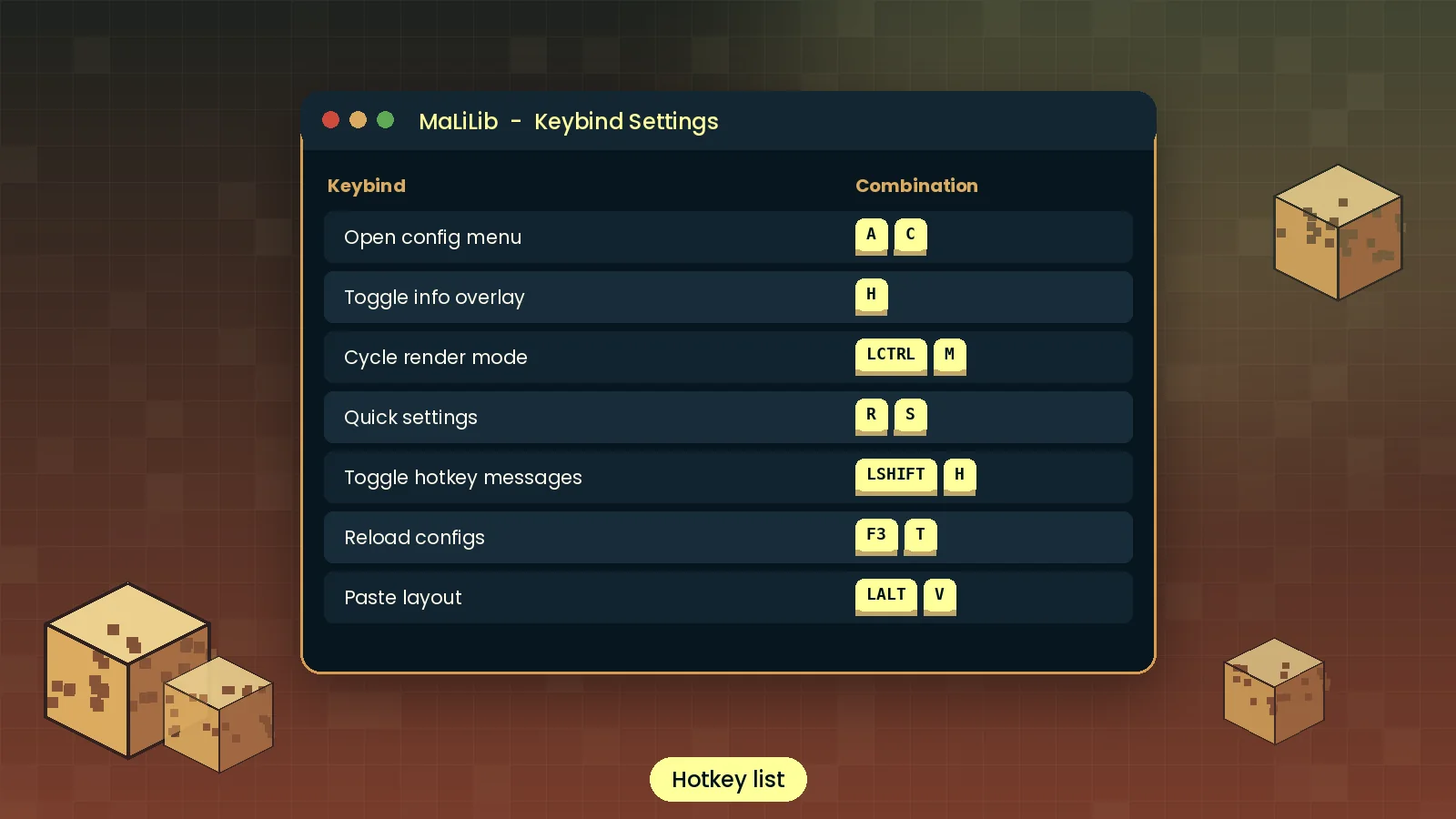
config/*.json files to clone a setup across instances.| Action | Default keys | Mod |
|---|---|---|
| Open MaLiLib config menu | A + C | MaLiLib |
| Open Litematica main menu | M | Litematica |
| Open Litematica config | M + C | Litematica |
| Toggle MiniHUD info lines | H | MiniHUD |
| Open MiniHUD config | H + C | MiniHUD |
| Open Tweakeroo config | X + C | Tweakeroo |
| Clear a keybind while editing | Esc | All MaLiLib menus |
Defaults can change between releases. Confirm them in each mod's Hotkeys tab.
Where MaLiLib Mod runs, which launchers and loaders it supports, and the tools it plugs into.
| Category | Supported | Status |
|---|---|---|
| Operating systems | Windows 10/11, macOS 11+, Linux (x64 and ARM64) | Full |
| Browsers | Chrome, Edge, Firefox, Safari (for downloading only) | Full |
| Devices | Desktops and laptops; Android and iOS via Java launchers | Partial |
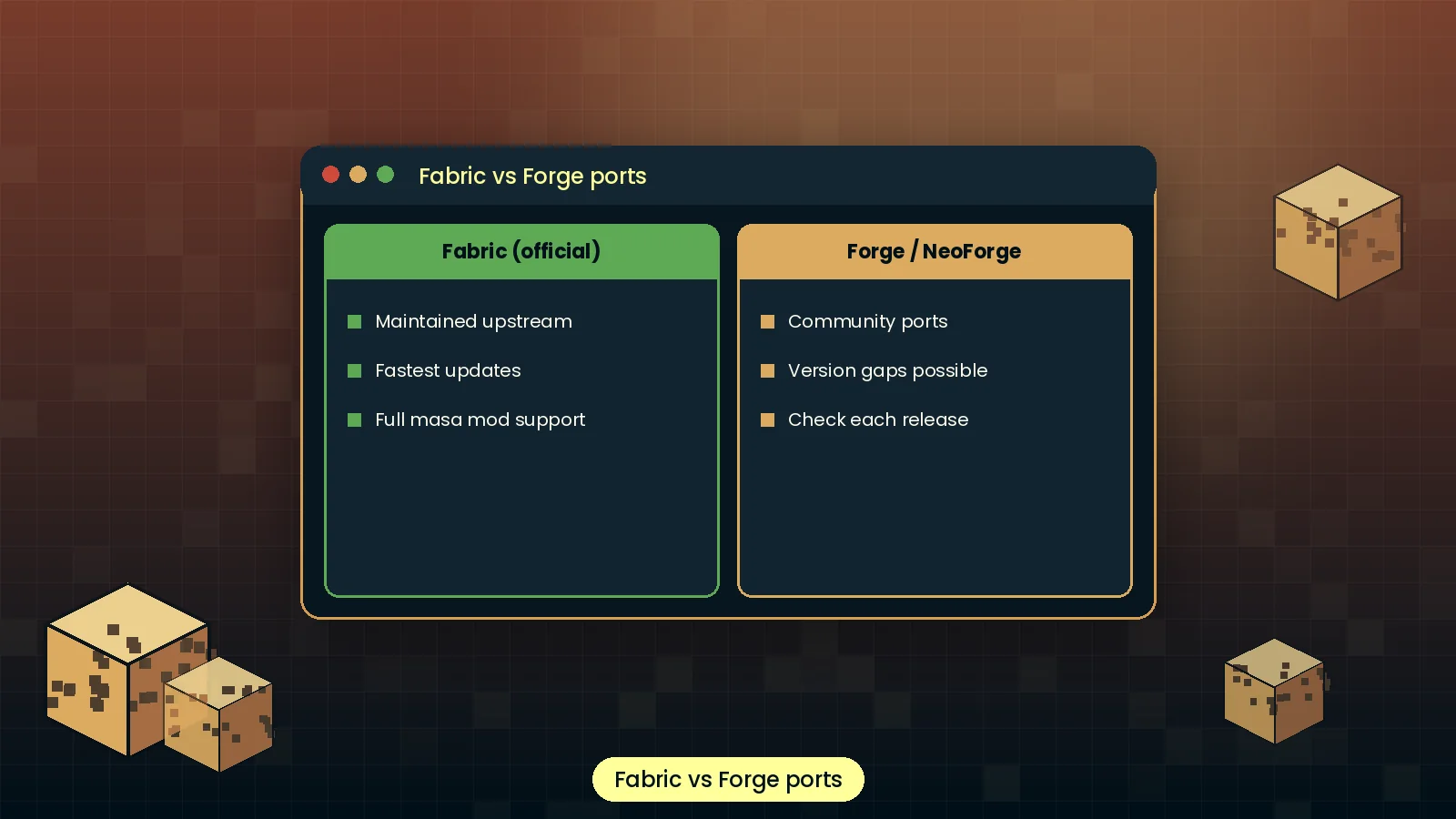
| Mod loaders | Fabric official; Forge and NeoForge through community ports | Partial |
| Framework | Java 21 for modern versions, Fabric Loader latest stable | Full |
| Integrations | Mod Menu, Litematica, MiniHUD, Tweakeroo, Item Scroller, Syncmatica | Full |
| Launchers | Official launcher, Prism, MultiMC, Modrinth App, CurseForge App | Full |
| Minecraft editions | Java Edition only; Bedrock is not supported | None |
An honest look at where MaLiLib shines and where it can trip you up.
Different players, different goals, one shared library underneath all of them.
Read a well-structured Fabric codebase and learn how real mod libraries manage configs and input.
Unlock Litematica, MiniHUD and Tweakeroo for faster building and clearer information on screen.
Skip writing config and hotkey code; build your mod on a tested, familiar framework.
Education servers and build studios standardise client setups for staff and clients.
Technical players measure mob spawning, chunk loading and redstone timing with MiniHUD overlays.
Toggle clean overlays and schematic guides mid-recording with a single key combination.
A visual tour of the menus, settings and setup steps you will see while using MaLiLib Mod.
Most problems come down to versions. Find your error below, apply the fix and you are usually back in game within two minutes.
| Error you see | Likely cause | Fix |
|---|---|---|
| Incompatible mods found | Dependent mod needs a newer MaLiLib build | Install the latest MaLiLib for your exact Minecraft version |
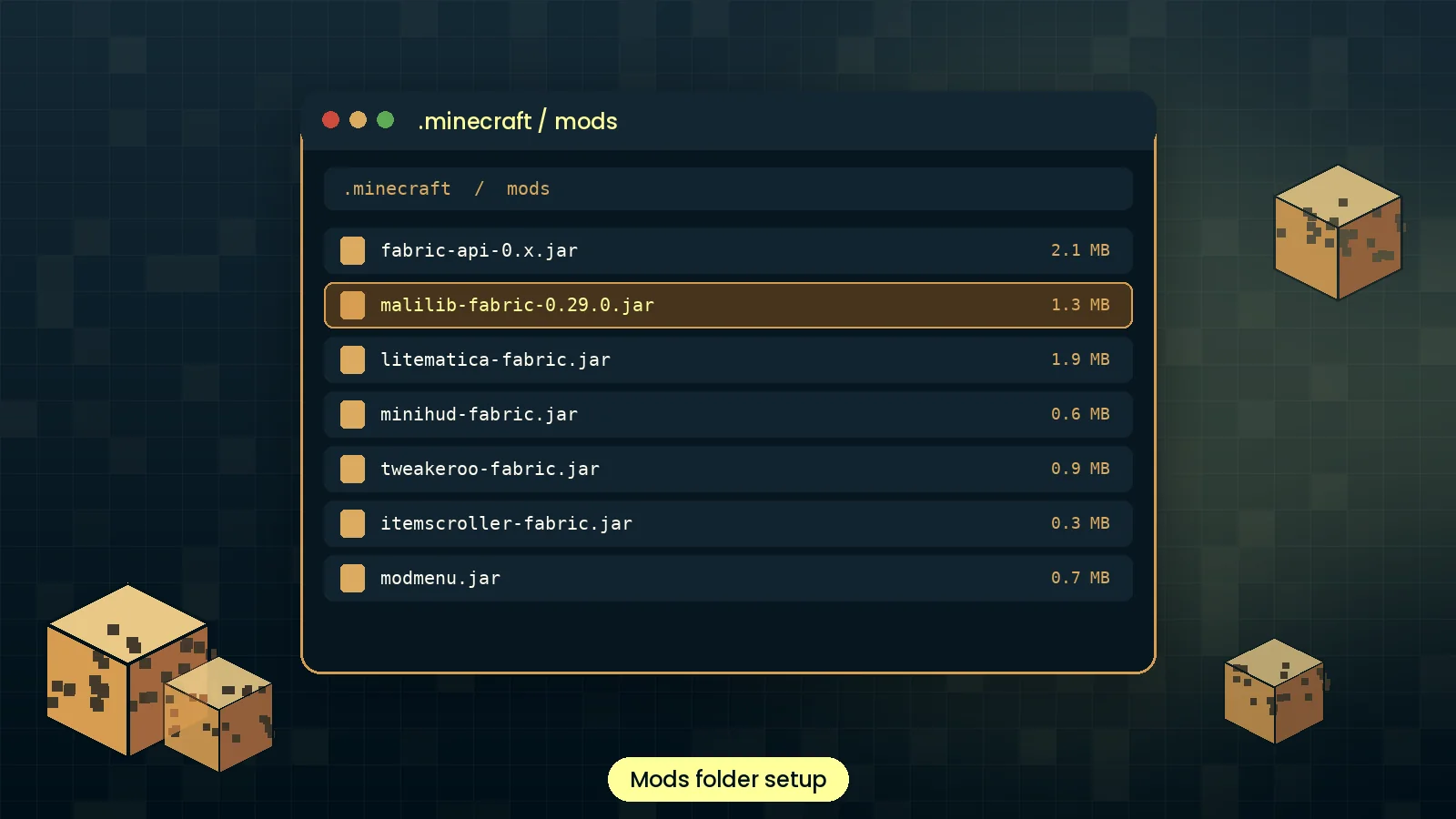
| Duplicate mod: malilib | Two MaLiLib jars in the mods folder | Delete the older jar and keep one |
| Game closes with no error | Fabric jar in a Forge or NeoForge instance | Use a Fabric profile or a proper community port |
| Config menu does not open | Hotkey cleared or in conflict | Open via Mod Menu and rebind A + C |
| Crash after changing a setting | Corrupted config file | Rename config/malilib.json and relaunch |
| Mod not listed in Mod Menu | Wrong Minecraft version file | Download the jar built for your version |
New Minecraft releases can take a few days to get a matching build. Some community Forge ports lag further behind. Mobile launchers may show render glitches in overlays.
Limit active MiniHUD overlays, render fewer Litematica layers, allocate 4 GB of RAM and pair your setup with a compatible performance mod.
Open logs/latest.log, search for "malilib" and read lines marked ERROR. Our crash guide explains each message.
What MaLiLib can and cannot do on your computer, and how this site handles your data.
Yes. The official jar is open source, widely used for years and distributed through platforms that scan every upload.
None beyond Minecraft itself. It reads and writes only its own config files in your game folder.
No telemetry or analytics. Settings stay on your computer in plain JSON you can inspect.
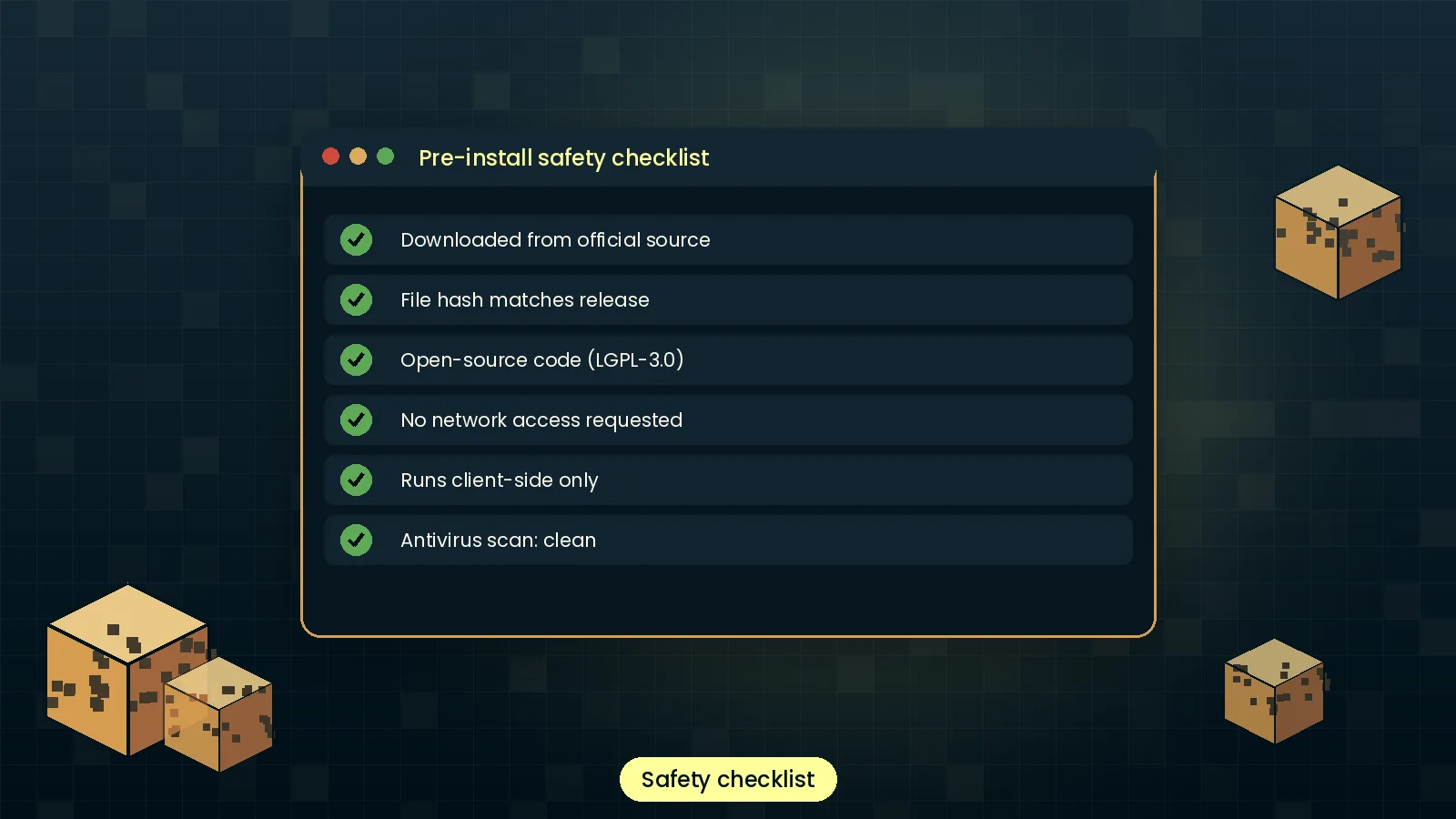
Signed releases on trusted hosts, public source code and SHA-256 hashes you can check yourself.
For players, MaLiLib cannot be swapped out because mods require it by name. For developers choosing a config library, here is how the main options compare.
| Software | Price | License | OS support | Features | Rating | Pros | Cons |
|---|---|---|---|---|---|---|---|
| MaLiLib | Free | LGPL-3.0 | Win, macOS, Linux | Configs, multi-key hotkeys, GUI widgets, overlays | ★ 4.7 | Required by masa mods; powerful hotkeys | Fabric only officially |
| Cloth Config API | Free | LGPL-3.0 | Win, macOS, Linux | Config screens, Fabric and Forge builds | ★ 4.5 | Multi-loader, widely used | No advanced hotkey system |
| YetAnotherConfigLib | Free | LGPL-3.0 | Win, macOS, Linux | Modern config UI, image previews | ★ 4.5 | Polished look, active updates | Config focused only |
| owo-lib | Free | MIT | Win, macOS, Linux | UI framework, configs, networking helpers | ★ 4.4 | Very flexible UI toolkit | Steeper learning curve |
| Fabric API | Free | Apache-2.0 | Win, macOS, Linux | Core hooks, events and key binding API | ★ 4.8 | Foundation for most Fabric mods | No ready-made config screens |
Ratings are our editorial scores based on features, documentation and update speed.
Feedback from builders, technical players, developers and creators who use MaLiLib-based mods every day.
I only installed MaLiLib because Litematica asked for it, but the setup took two minutes. Matching the version to 1.21.11 was the only thing I had to pay attention to.
Being able to bind MiniHUD overlays to two-key combos changed how I play. I have over thirty shortcuts and not a single conflict with vanilla controls.
The config framework saved me weeks. Options, lists and hotkeys all save cleanly, and players already understand the menu layout.
Rock stable on our creative server clients. One star off only because new players keep grabbing the wrong build. The version guide here helped a lot.
I record build tutorials and MiniHUD info lines powered by MaLiLib look tidy on screen. Toggling them with one combo mid-recording is perfect.
I read the source to learn how a Fabric library is structured. Clear packages and a sensible API. Documentation could be longer, but the code is readable.
Straight answers to the questions players ask most about downloading, installing and troubleshooting MaLiLib Mod.
Download MaLiLib Mod only from its official pages on Modrinth, CurseForge or the GitHub repository maintained by the developer. Our download section links directly to those sources, so you always get the untouched original file. Avoid re-upload sites that wrap the jar in installers or ask you to disable antivirus software, because those are the usual source of fake or unsafe copies.
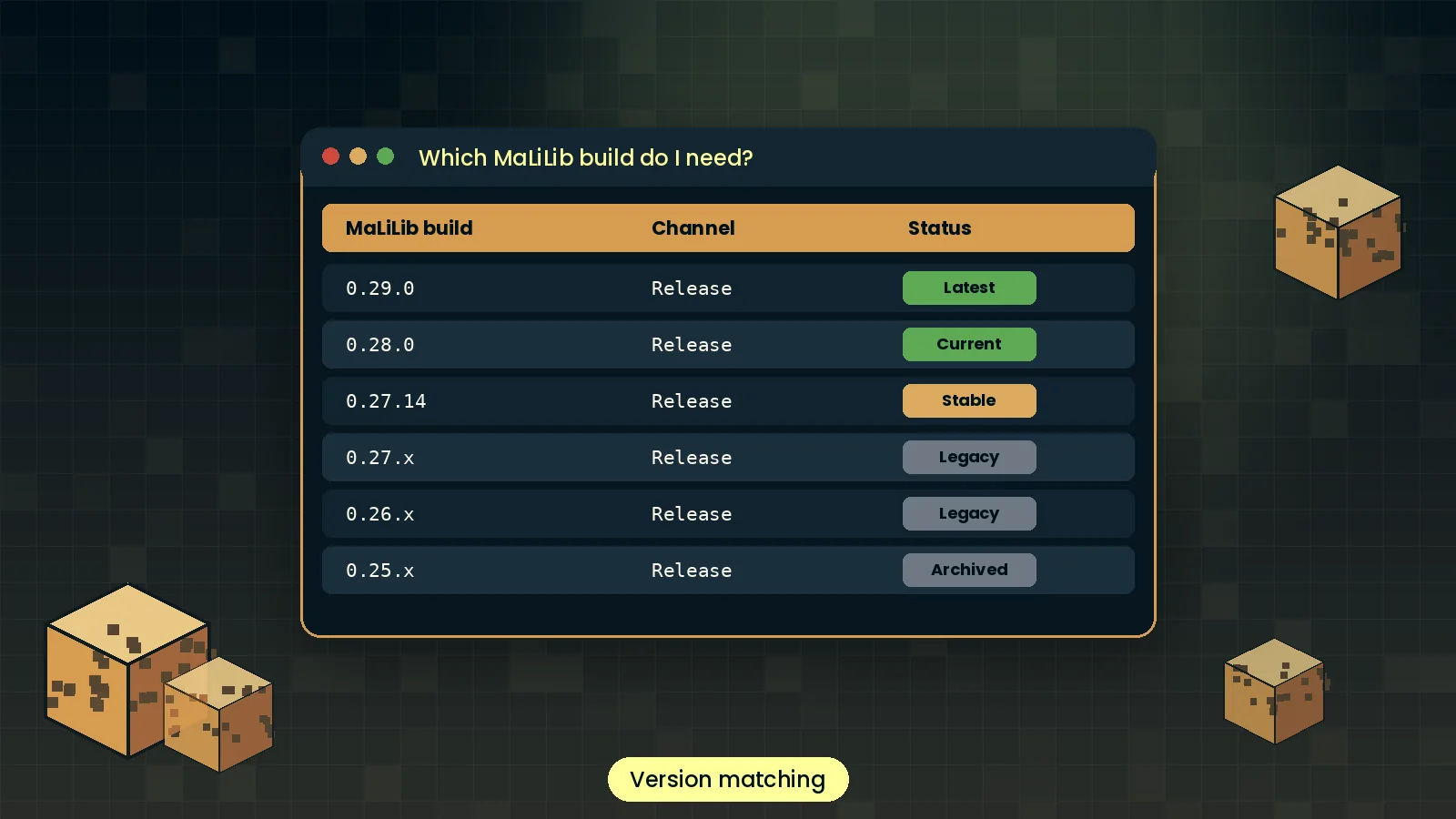
Match the Minecraft version in the file name to your game first, then pick the newest MaLiLib build for that version. If you use Litematica, MiniHUD or Tweakeroo, check their changelogs for a minimum MaLiLib build. Using an older build than required triggers a dependency error when the game starts, which is easy to fix by swapping the jar.
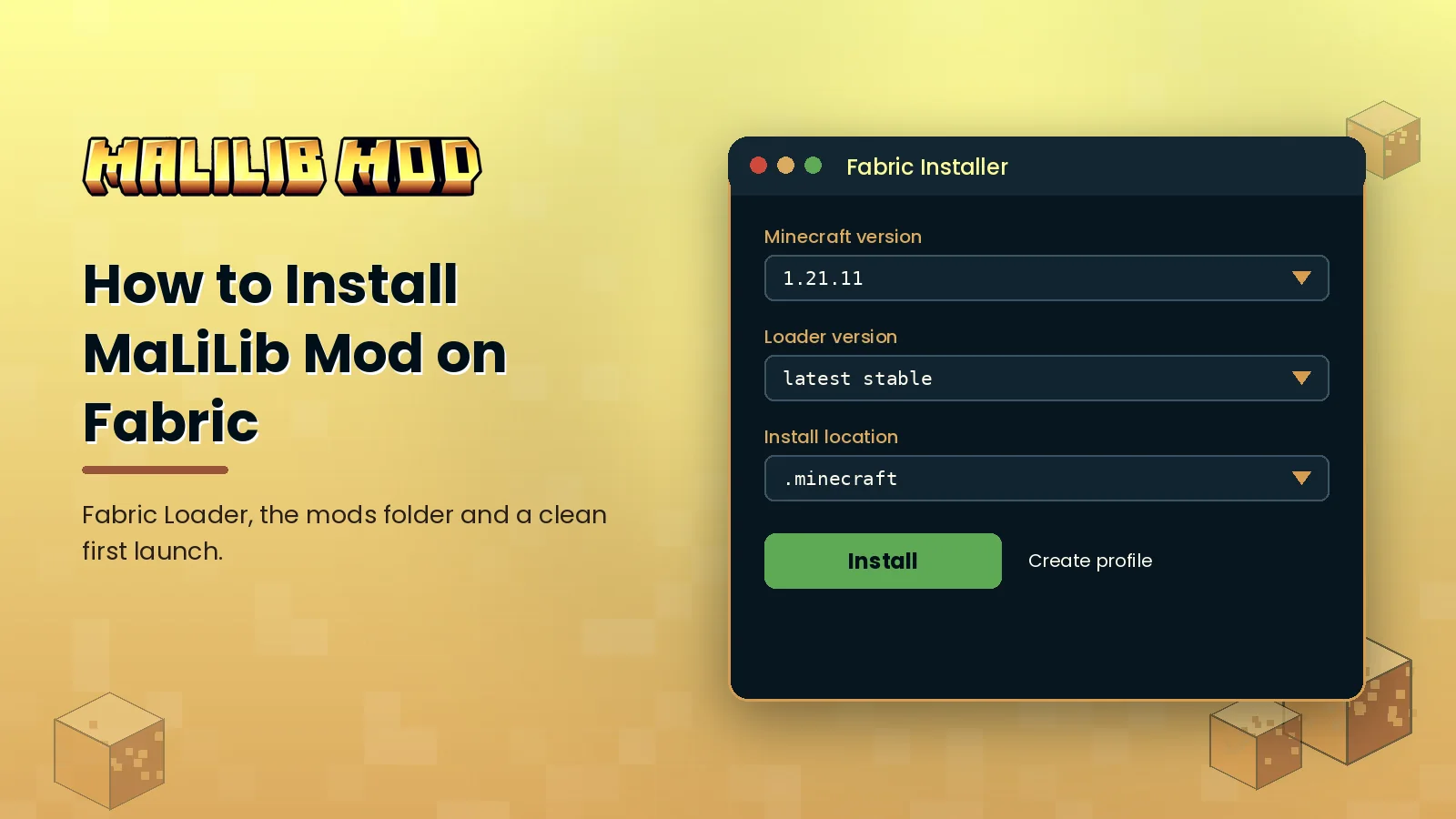
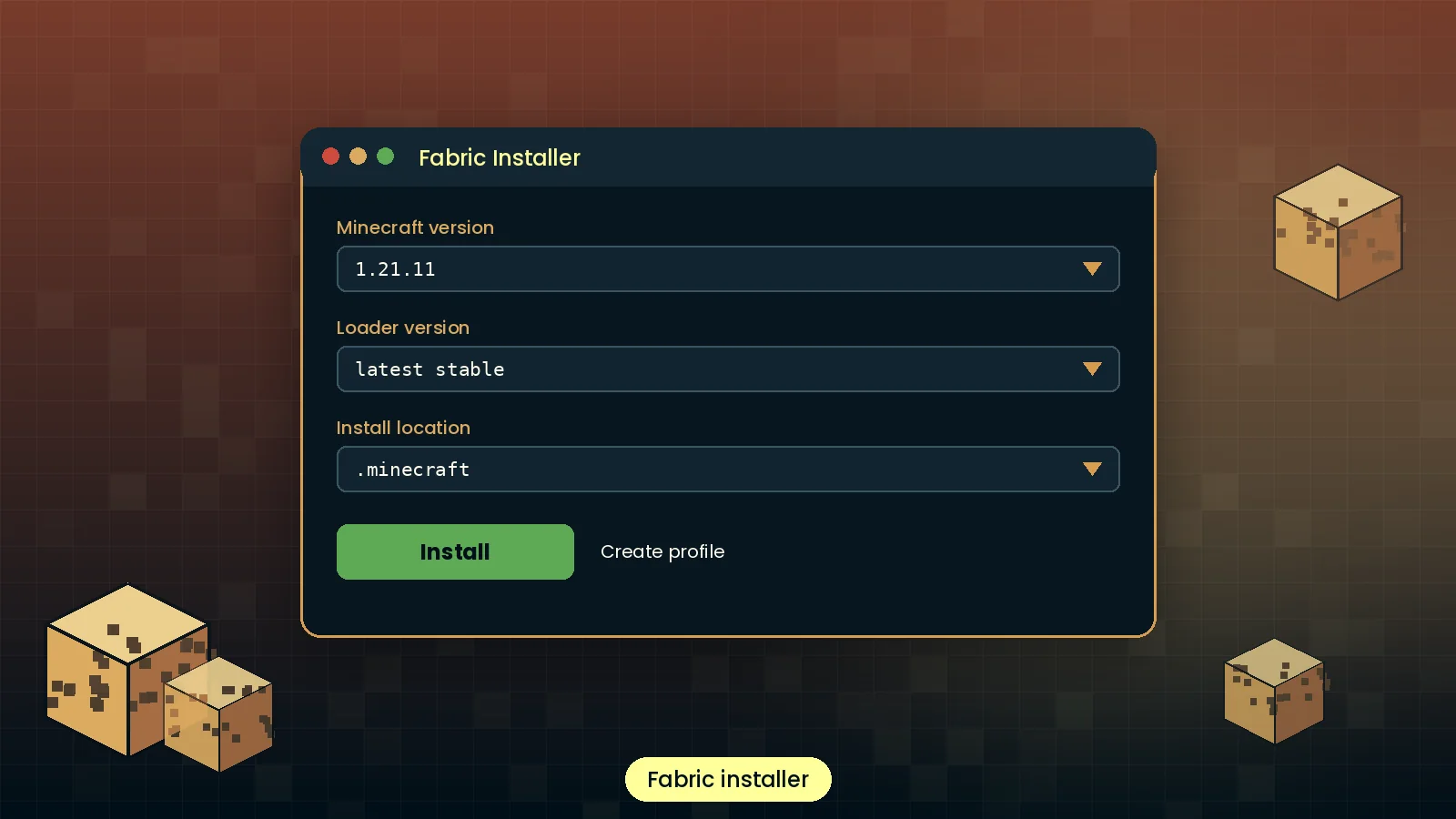
Yes. Current official MaLiLib releases are built for Fabric Loader. Install Fabric with the official installer, launch the game once to create the folders, then place the MaLiLib jar in your mods folder. Mod Menu is optional but useful because it adds a button that opens MaLiLib and dependent mod settings directly from the title screen.
Official releases target Fabric. Forge and NeoForge players rely on community ports published under different project names, or on compatibility layers such as Sinytra Connector for NeoForge. These work for many setups but can lag behind updates. If you choose a port, download it from its own official page and follow its dependency list.
Place the jar in the mods folder inside your game directory. On Windows that is usually %appdata%\.minecraft\mods, on macOS ~/Library/Application Support/minecraft/mods, and on Linux ~/.minecraft/mods. Custom launchers such as Prism or MultiMC keep a separate mods folder for each instance, reachable from the instance settings menu.
Close Minecraft, delete the old MaLiLib jar from your mods folder and add the new one for the same game version. Your settings stay in the config folder and carry over automatically. Always update MaLiLib at the same time as its dependent mods, since new builds of Litematica or MiniHUD often require a newer library build.
Only through launchers that run Java Edition on mobile, such as PojavLauncher-based apps on Android or Amethyst on iOS. Bedrock Edition cannot load Java mods at all. Performance depends heavily on the device, and iOS typically needs JIT enabled. Treat mobile setups as experimental and test with a small mod list first.
Yes, MaLiLib Mod is completely free. It is released under the LGPL-3.0 open-source license, so there is no paid tier, trial or license key. If a website asks you to pay for MaLiLib or complete surveys before downloading, leave it, because the genuine files are always available at no cost from the official platforms.
The genuine MaLiLib Mod is safe. Its source code is public, it has been used by millions of players and it is distributed through platforms that scan uploads. It only reads and writes its own config files. To stay safe, download from official sources and compare the SHA-256 hash of your file with the one listed on the release page.
MaLiLib is licensed under the GNU Lesser General Public License version 3. You can use it freely, and developers can build mods that depend on it, including closed-source mods. If you modify the library itself and distribute those changes, the modified library must remain under the same license with its source available.
No. MaLiLib has no telemetry and no analytics. It stores your settings locally in JSON files inside the config folder and has no reason to contact outside servers during normal play. Any mod that uses MaLiLib has its own behaviour, so check each mod page if privacy is a concern for your setup.
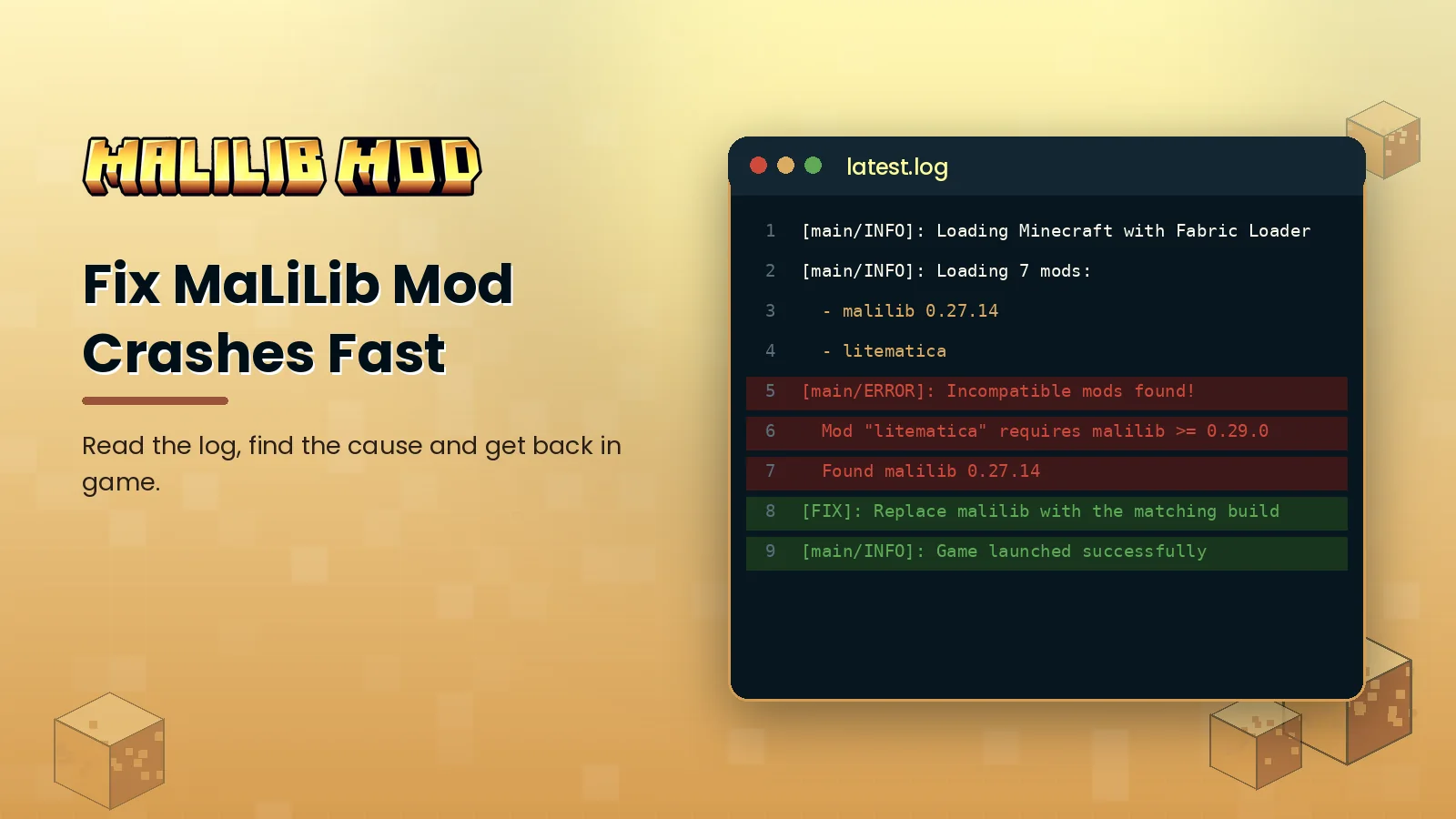
Most crashes come from version mismatches: a MaLiLib jar built for a different Minecraft release, a build older than a dependent mod needs, or two MaLiLib jars in the same folder. Open logs/latest.log, search for malilib and read the lines marked ERROR. They usually name the exact version you need to install.
Press A and C together while in a world, because that is the default MaLiLib hotkey. If nothing happens, another mod may use the same combo, or the hotkey was cleared. Install Mod Menu to open the screen from the title menu instead, then rebind the hotkey in the Hotkeys tab to a free combination.
MaLiLib itself is lightweight and has no noticeable effect on frame rate. Performance changes usually come from what dependent mods render, such as large Litematica schematics or many MiniHUD overlays at once. Reduce overlay count, render fewer schematic layers and pair your setup with a performance mod like Sodium if your mod list supports it.
Alternatives depend on your goal. Developers building config screens often compare Cloth Config API, YetAnotherConfigLib and owo-lib. Players cannot swap MaLiLib out, because mods like Litematica and MiniHUD require it specifically. Our alternatives page compares these libraries by license, features and ideal use case.
Close the game and delete the MaLiLib jar from your mods folder. Remember to remove the mods that depend on it too, or the game will refuse to start and show a missing dependency message. You can also delete config/malilib.json if you want to remove saved settings, but keeping it is harmless.
Hands-on tutorials, version explainers and fixes written after testing every step in a real game instance.
A clean setup from zero: Fabric Loader, the right MaLiLib file, the mods folder and a first launch that works the first time.
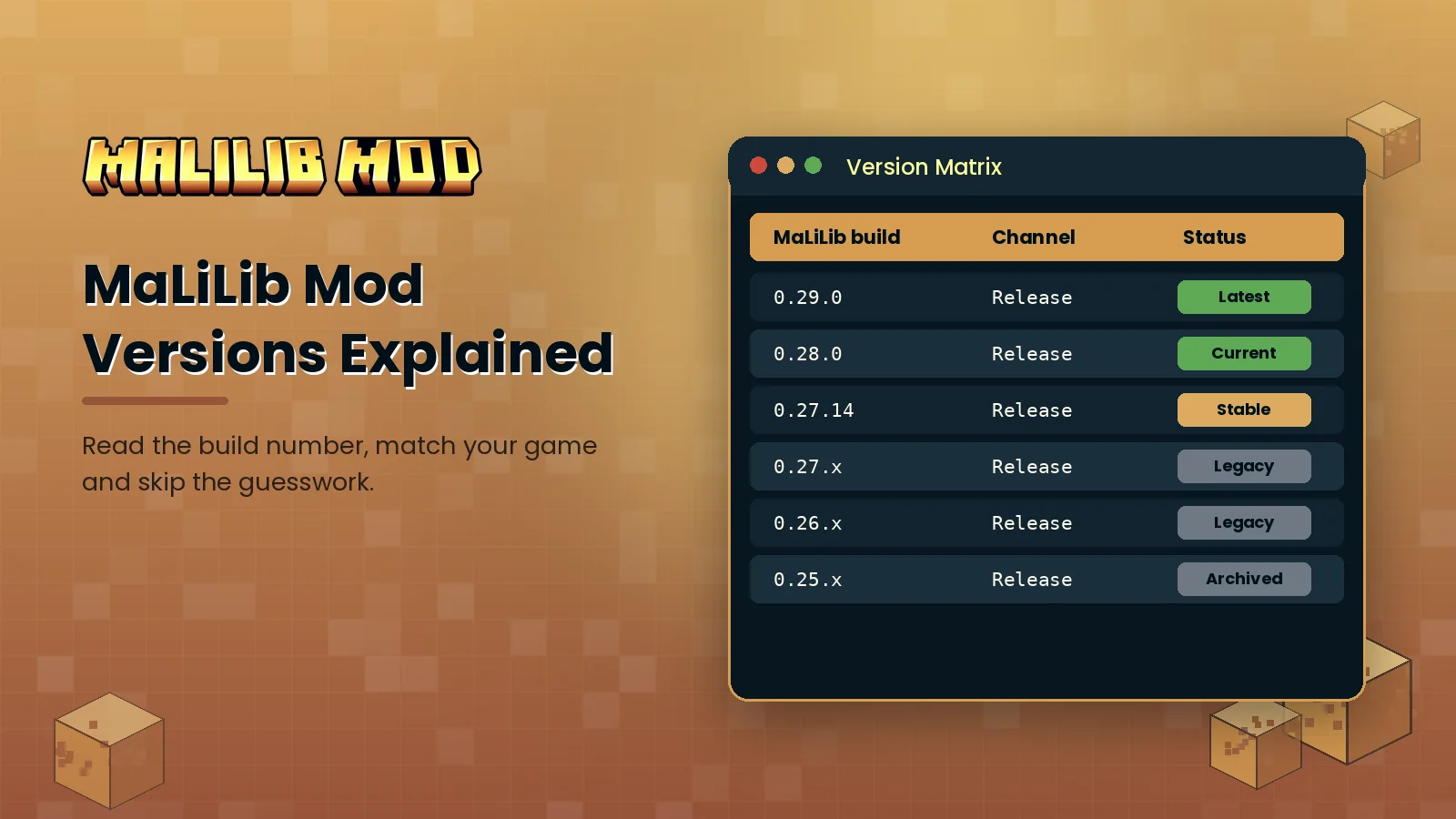
Why there are so many MaLiLib builds, what 0.27.14 or 0.29.0 actually means, and how to choose the right one in under a minute.
The five causes behind almost every MaLiLib crash, how to spot each one in your log, and the exact fix for each.
Questions about a guide, a broken link or a partnership? Send a message and we usually reply within two business days.
Grab the official file for your Minecraft version and follow the five-minute guide.