MaLiLib Hotkeys Explained
Multi-key combinations, activation modes and conflict fixes: everything that makes MaLiLib hotkeys more powerful than vanilla keybinds.
Key takeaways
- Hotkeys can combine several keys, such as A + C.
- Each hotkey has advanced settings for when and how it fires.
- Conflicts are fixed by making combos order-sensitive or exclusive.
What makes them different
Vanilla Minecraft binds one key to one action. MaLiLib lets a hotkey use a combination of keys and mouse buttons, so A + C can open a menu without stealing the A key from walking. This is what lets masa mods offer dozens of shortcuts without running out of keys.
Useful default shortcuts
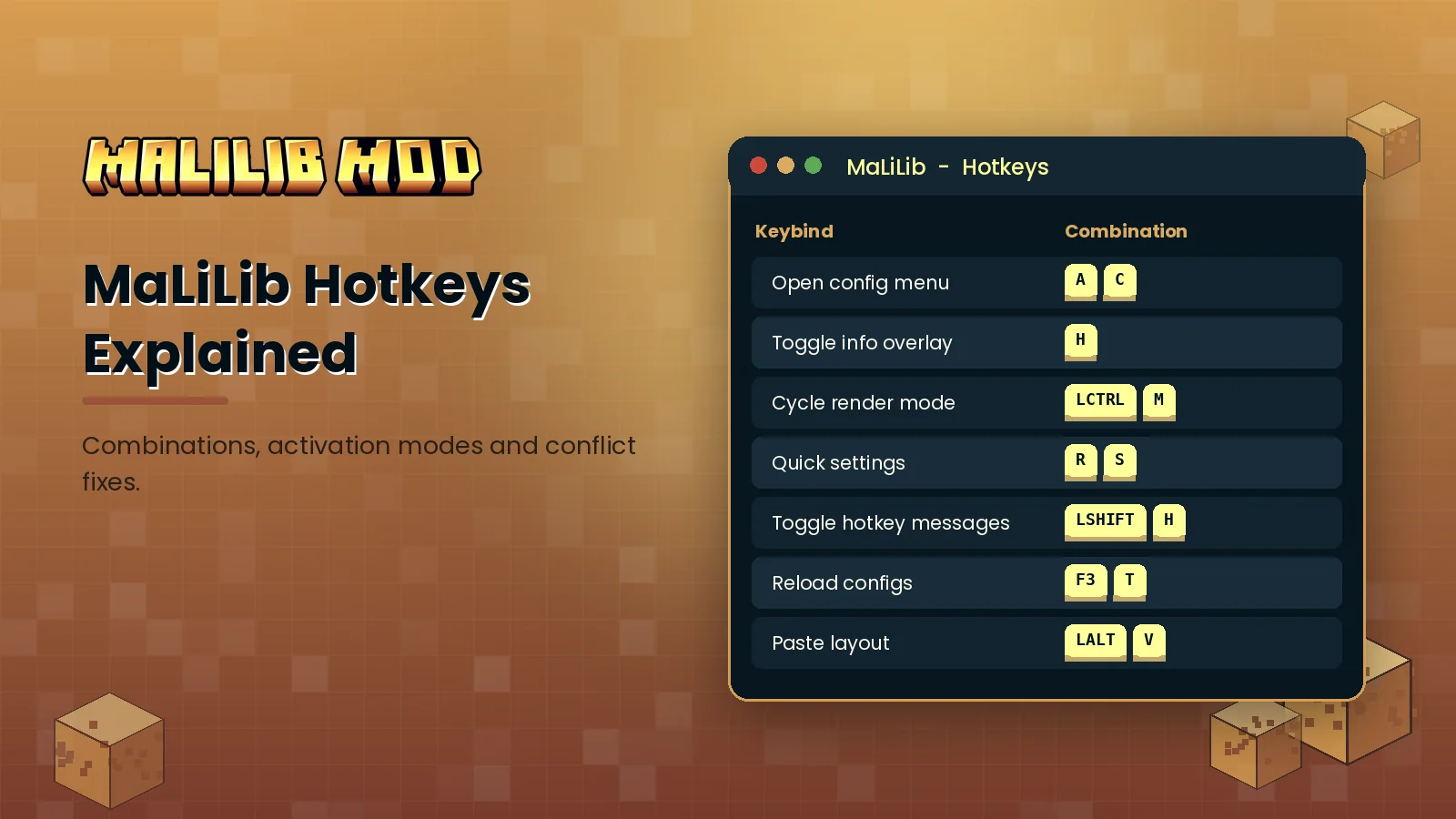
- A + C: open the MaLiLib config menu
- M: Litematica main menu; M + C: Litematica config
- H: toggle MiniHUD info lines; H + C: MiniHUD config
- X + C: Tweakeroo config
Defaults can change between releases, so check the Hotkeys tab of each mod to confirm.
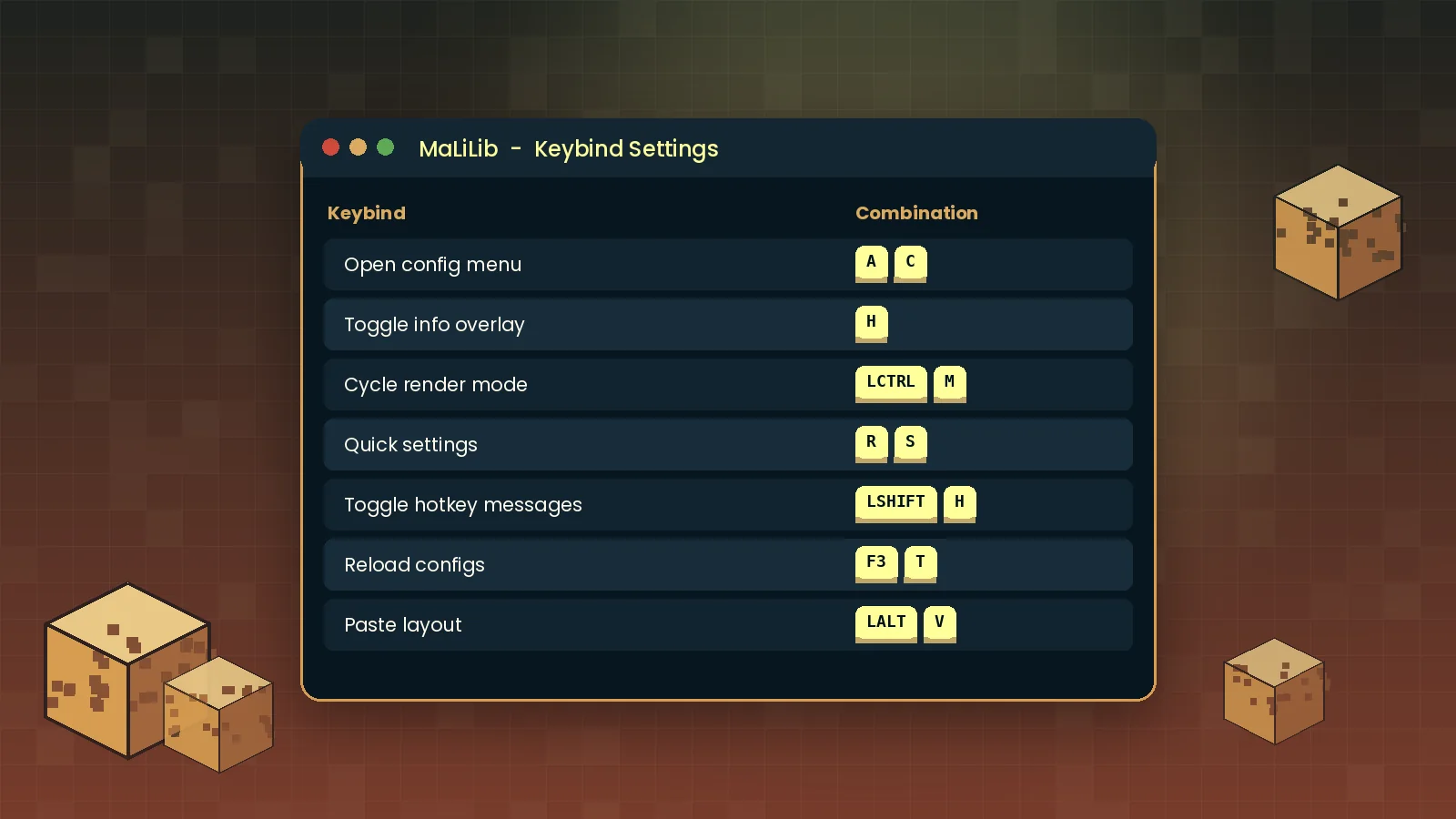
Changing a hotkey
Open the Hotkeys tab, click the button showing the current combination, then press the keys you want in order and release them. Press Esc to clear a binding completely. The change is saved as soon as you close the screen.
Advanced keybind settings
The small settings button next to each hotkey opens options that control its behaviour:
- Activate on: fire on press, on release or both.
- Allow extra keys: whether the combo still works while other keys are held.
- Order sensitive: require the keys in the exact order you set.
- Exclusive: fire only when no other keys are held.
- Cancel further processing: stop the key press from reaching vanilla controls.
Fixing conflicts
If two actions fire together, give one of them a unique second key, or turn on order sensitivity so H then C behaves differently from C then H. Our shortcut reference and config menu guide cover the rest.